21 PRs landed while you were away.
GitLanes shows you what landed, what's stuck and what's ready to merge, so you can catch up on your agents' work at a glance. A Git client for the Mac, built for the person who merges.
No account · Local-first · macOS 12+ · Intel Mac
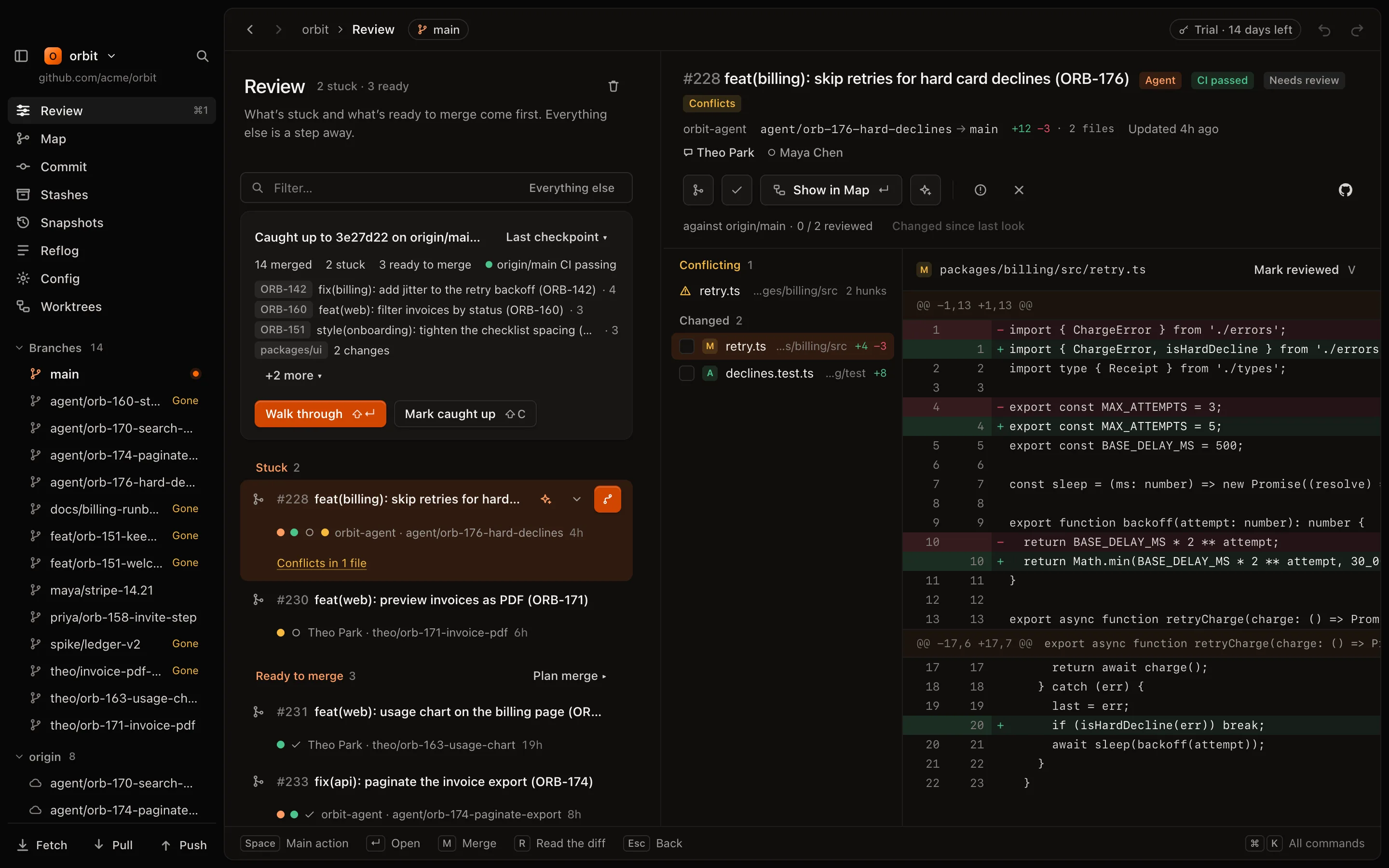
Git clients were built for people who write code. Now your agents write it, faster than you can follow. Your job went from writing code to deciding what ships, but when your tools can't keep up, you stop reading and start trusting your agents. GitLanes is the Git client for the agentic era. See what happened, where you're needed, and what's still in progress.
Your agents write it. You land it.
Keep the agents you already run. GitLanes reads the branches and PRs they open, and helps you land them.
Any agent
It never launches or controls an agent. If it opens a branch or a PR, GitLanes sees it, in a worktree or in the cloud.
Local first
Diffs, merge checks and prompts are worked out on your Mac, with your own git. Your code never leaves it. GitHub only comes in when you turn pull requests on.
⌘Z for anything local
Cleanups, rebases, resets and deleted branches all undo. Merges on GitHub are the one thing it asks about first.
See what happened since you last looked.
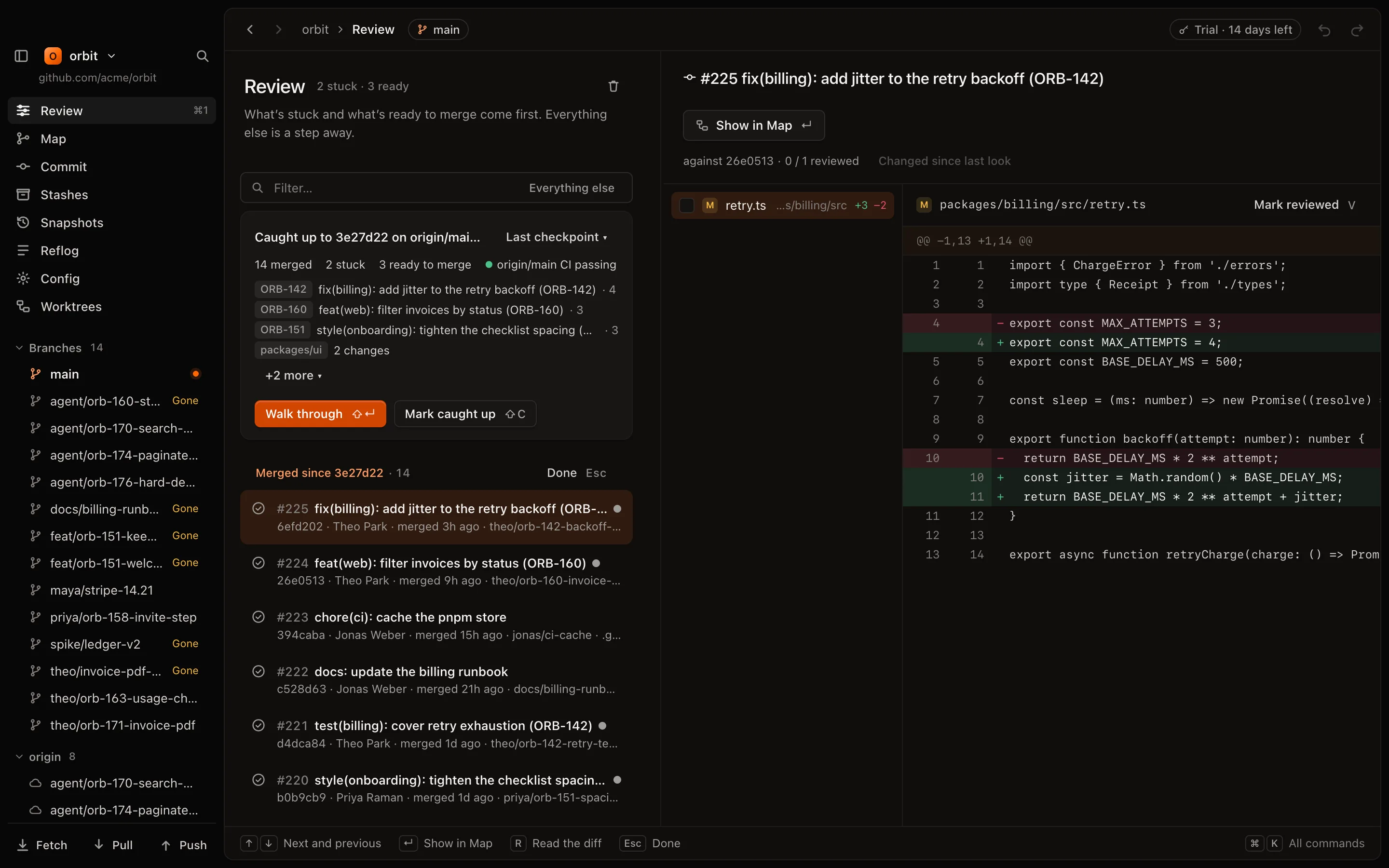
GitLanes remembers the commit you were caught up to, not a clock. It shows everything that reached main after it, grouped by issue or by area, so twenty PRs read as four pieces of work.
Counts at a glance
Merged, stuck and ready, plus main's CI with GitHub connected.
Any starting point
Your last checkpoint, yesterday, last week or a tag.
One PR at a time
Walk through what landed with ⇧↵.
Agent work, marked
Agent-made branches get a badge. A shows only them.
Read the whole change. Then decide.
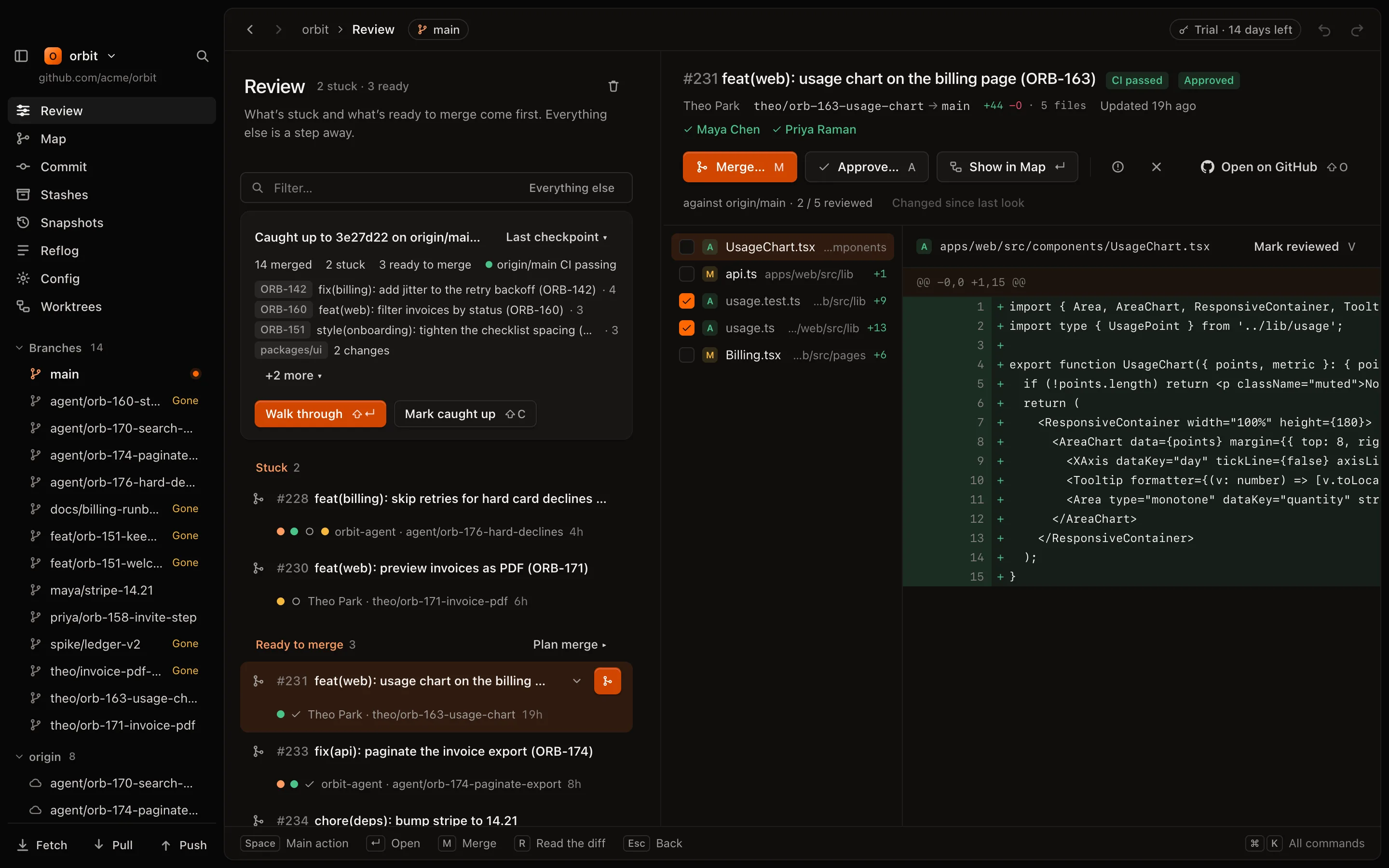
Open any PR next to its list. You see the whole branch against its base, tick files off as you go, and when the agent pushes again, you see only what changed since you last looked.
- Tick a file as reviewed with V
- Only what's new since your last look with D
- Approve A, request changes C, merge M
Send stuck work back in two keystrokes.
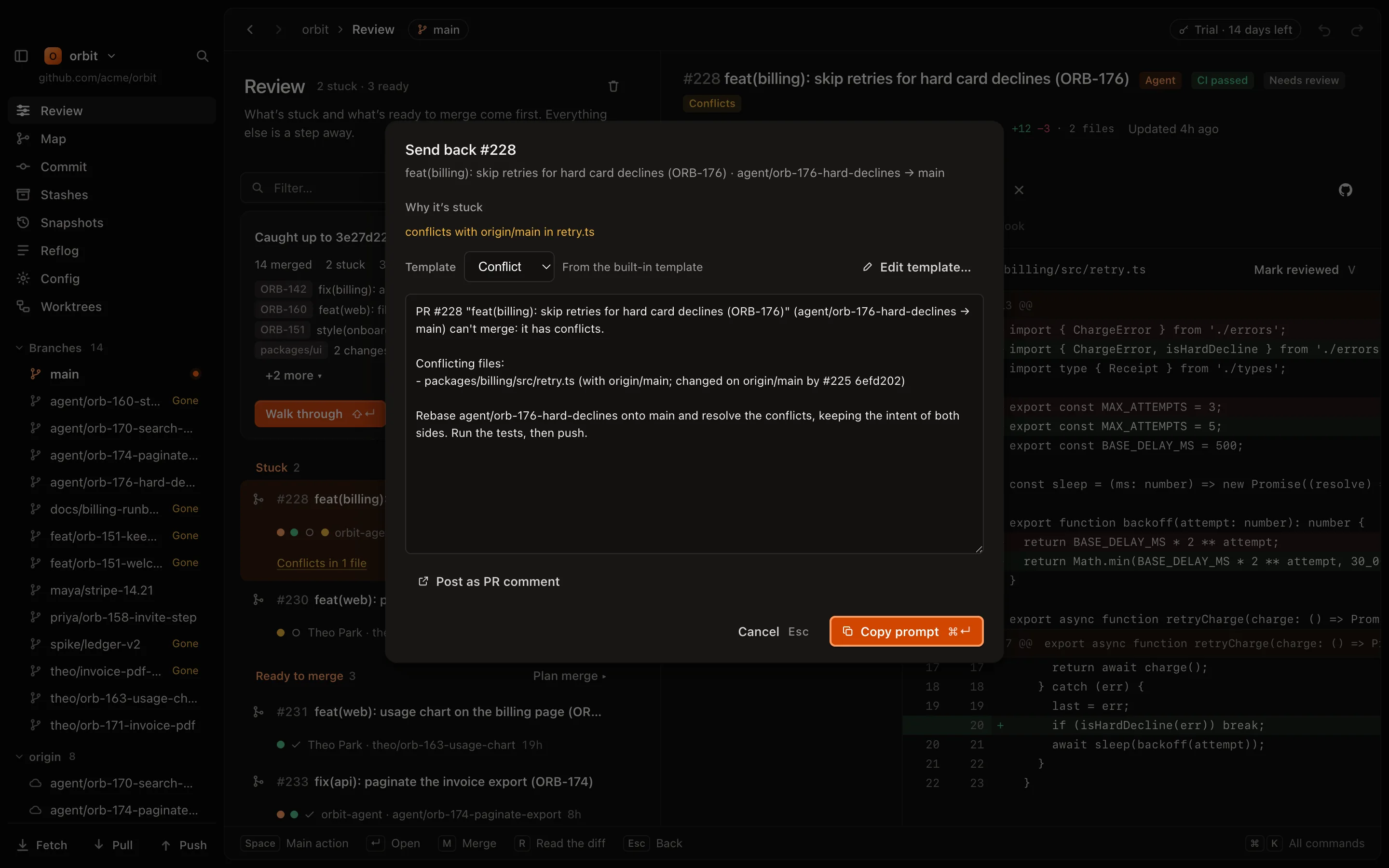
When a PR conflicts or fails CI, GitLanes says why in plain words. It also writes the prompt for you: which files, which PR on main touched them, which check failed and the last lines of its log. Copy it and paste it to whichever agent you use.
- Templates for conflicts and CI failures, per repo
- Or post it as a PR comment, for agents that watch their PRs
Know the merge order before you merge.
Each PR passed on its own, but once one lands, the next might not merge cleanly. GitLanes tries the ready PRs against main on your Mac, finds an order with no merge conflicts, and tells you why. Then it merges them on GitHub one by one, and stops if anything changes. Merges on GitHub can't be undone, so it tells you before it starts.
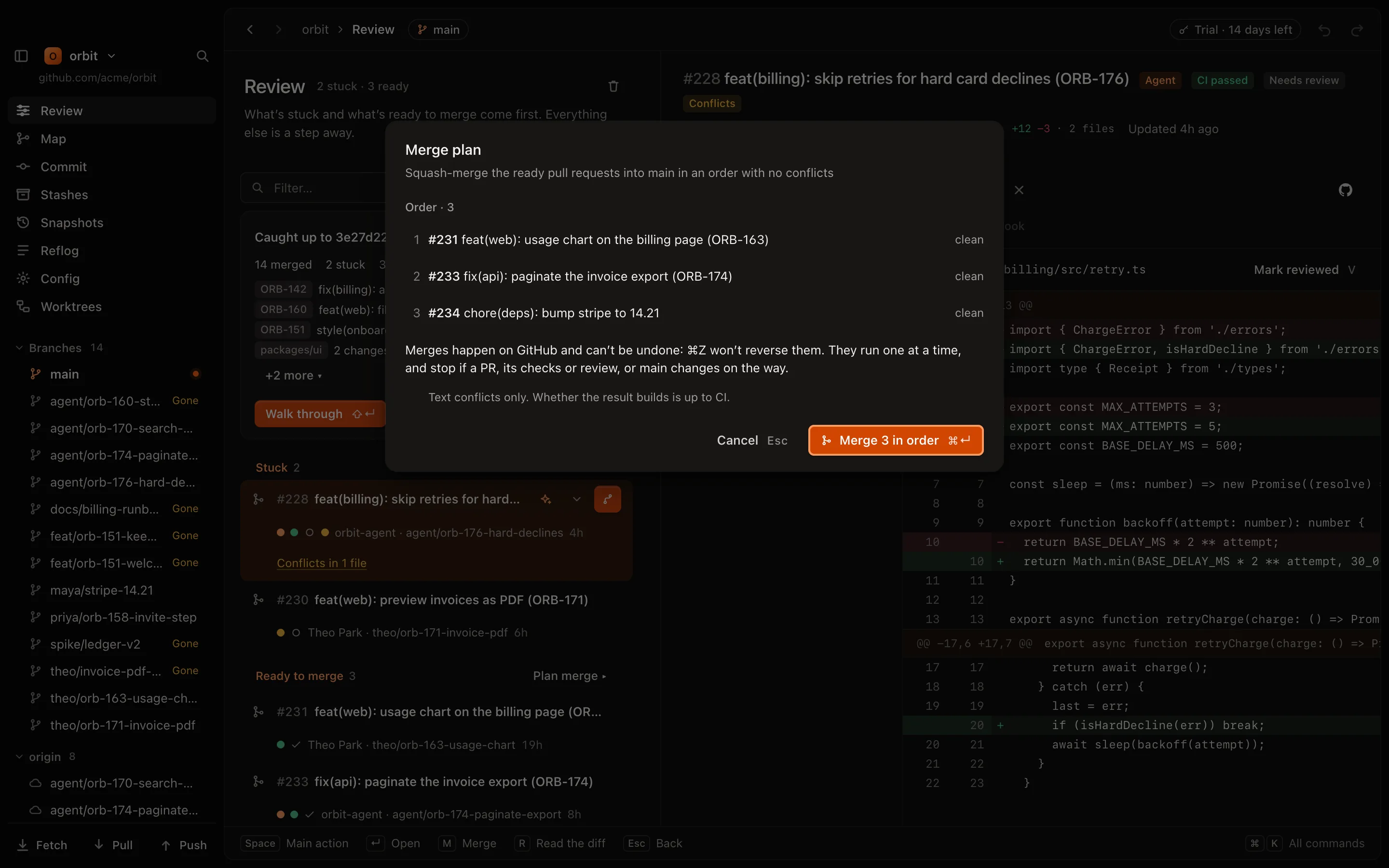
Checked on your Mac
With your git, before anything touches GitHub.
Warns you early
Which open PRs will conflict once these land.
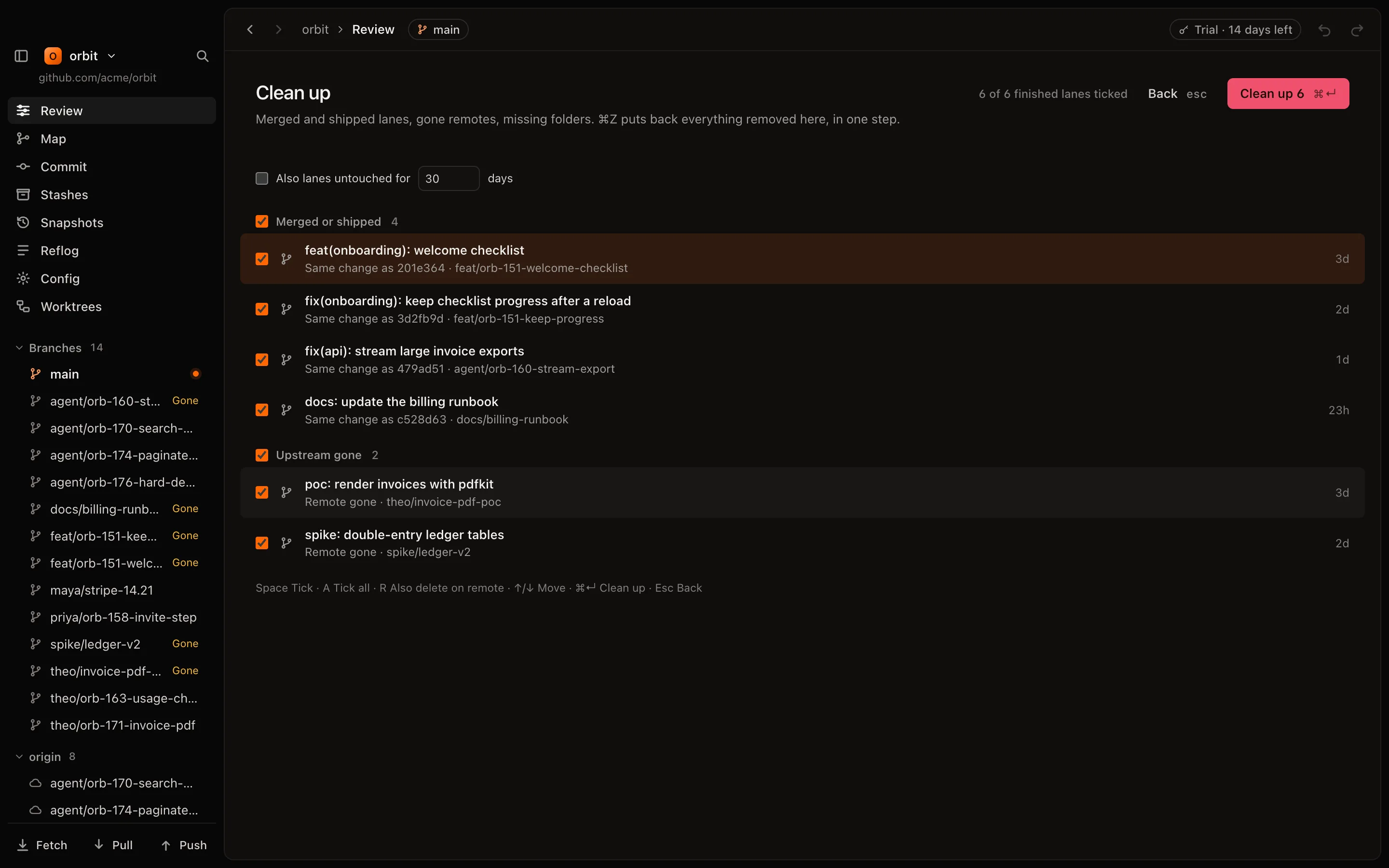
Tidies up after
Once a PR is merged, its worktree and branch go too. Undoable.
Still a fast Git client. For when you step in yourself.
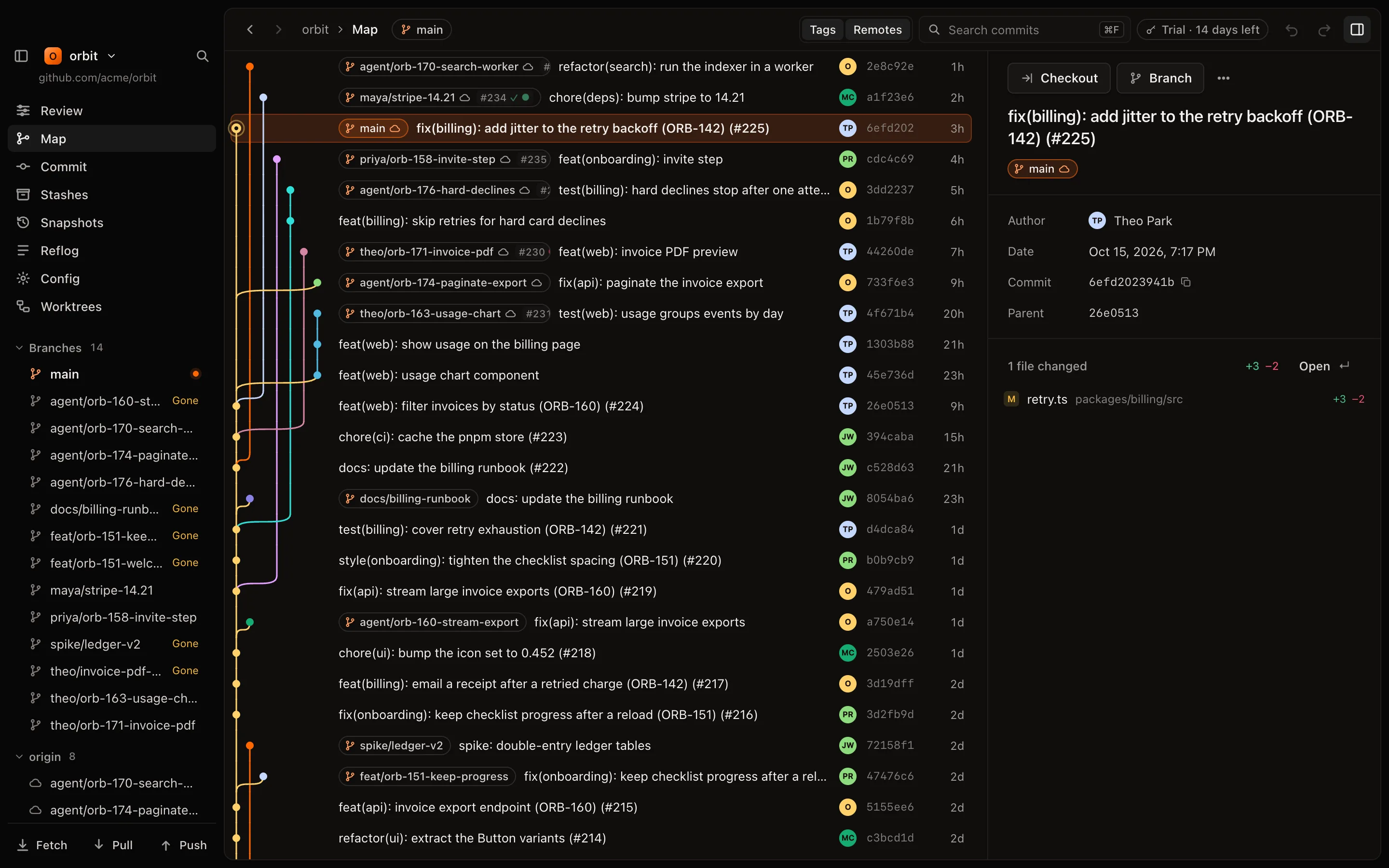
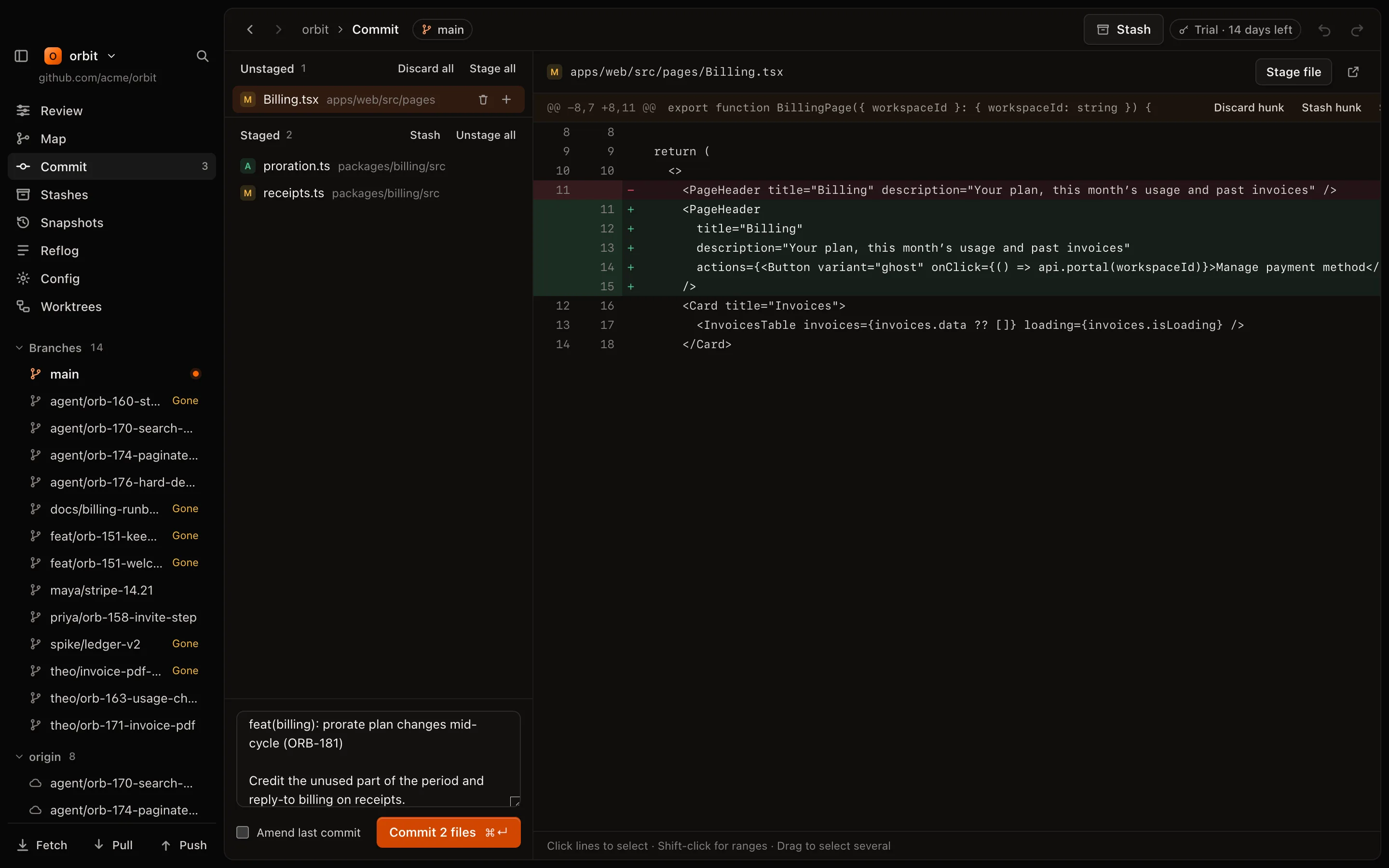
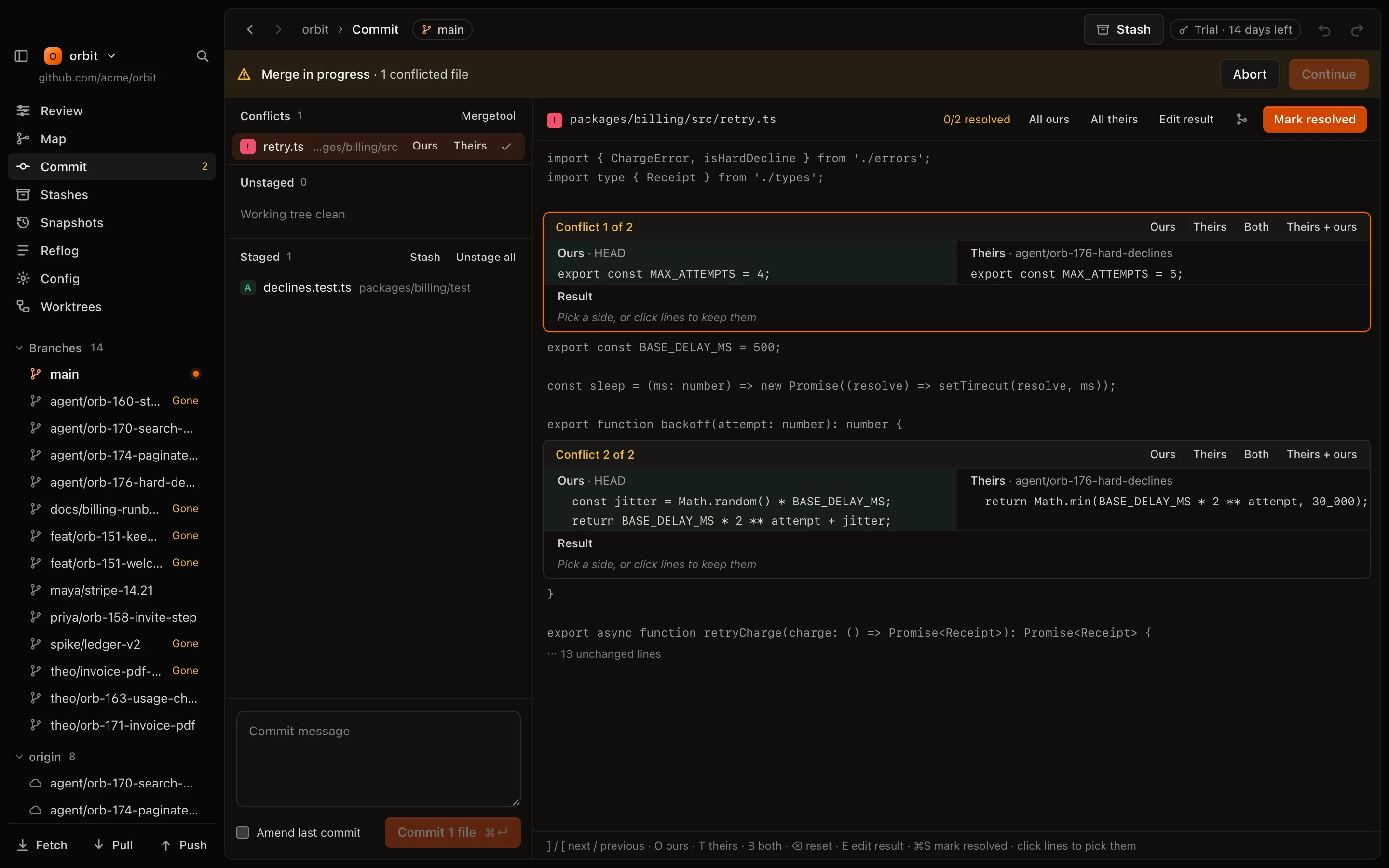
Every action is one key away. Try it.
Catch up, review, send back and merge without reaching for the mouse. Every key can be rebound.
- Psend it back
- Rreview
- ⇧Pplan merge
- Xclean up
- ⌘Zundo
Why I built GitLanes
These days, agents write the code, open the PRs, and sometimes even merge them. It's got to the point where keeping up with what's being shipped is almost impossible, and the easy way out is to stop reading PRs and just trust the agents.
The Git clients we have were built before agents. They can't tell you what happened while you were on a coffee break. So I built GitLanes, to stay the one who decides what ships.
I use it every day. It's in beta, so tell me what breaks on @0xa3k5 or hey@akml.io.
— AK
Questions
Which agents does it work with?
Any of them. GitLanes reads branches, worktrees and pull requests, so it doesn't matter what made them. It never launches or controls an agent.
Do I need GitHub?
For some of it. Catch-up, the conflict forecast, the Map, committing and undo work on any git repo. Stuck CI, ready to merge, merging and posting a prompt as a PR comment need GitHub and the gh CLI, which you turn on in settings. GitLab and Bitbucket aren't supported yet.
Why not just use GitHub's web UI?
GitHub shows you one PR at a time. GitLanes shows what changed since your own checkpoint, tries the ready PRs against each other on your Mac before you merge, and writes the prompt that sends stuck work back. It works on top of GitHub, not instead of it.
What about the Git client I use now?
Keep it. GitLanes uses your system git and the same repo folder, so there's nothing to import or migrate. Use both.
Does it send my code anywhere?
No. GitLanes is local-first: everything is worked out on your Mac, with your git. It talks to GitHub only when you turn pull request features on. AI commit messages are optional and can run fully on your Mac.
Windows or Linux?
Not yet. macOS 12 or later, Apple silicon and Intel. The merge plan and conflict forecast need git 2.38 or later.
Your agents keep shipping. Now you can keep up.
Try it on your own repositories, with every feature and no account.
Beta · macOS 12+